
Most WordPress site owners spend weeks getting the design right, the pages polished, and the content ready to publish. Then they hit go live and move on.
What many skip entirely is the legal side.
No privacy policy. No terms and conditions. No cookie notice. Just a live website collecting visitor data with nothing in place to disclose it, protect the business, or meet the expectations of ad networks, affiliate programmes, and privacy regulators.
The good news is that adding legal pages to a WordPress site is not complicated. It does not require a lawyer or hours of research. And doing it before you launch means you never have to scramble to fix a compliance gap after the fact.
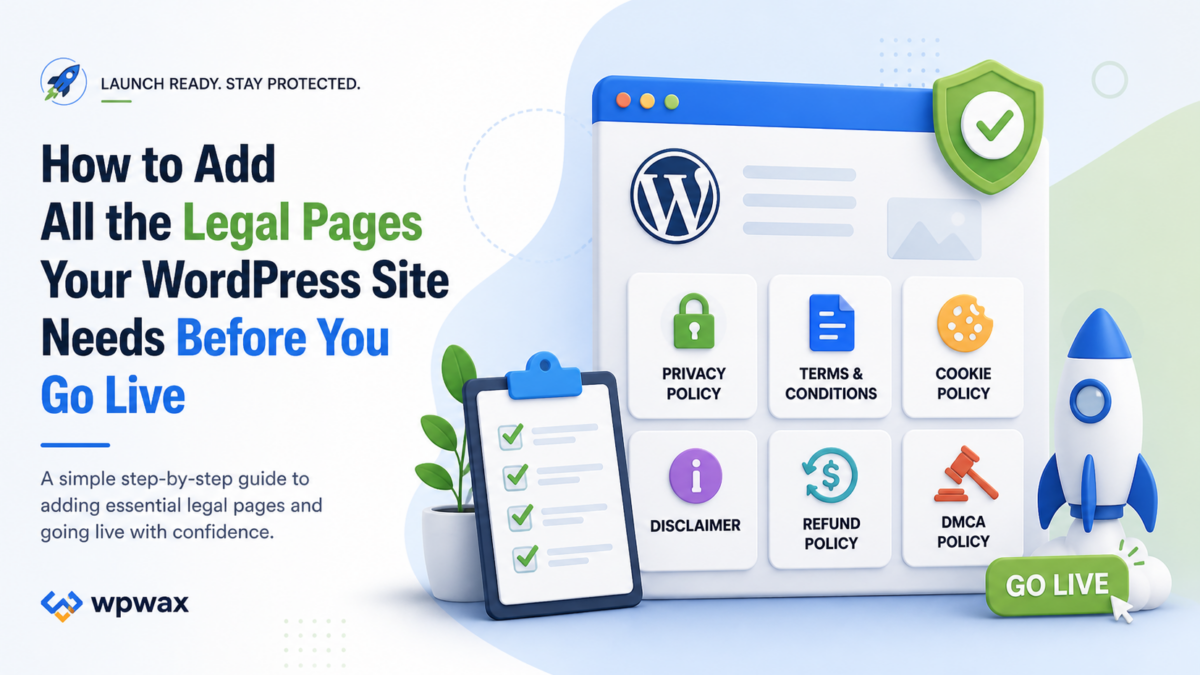
This guide walks you through every legal page your WordPress site is likely to need, why each one matters, and the fastest way to get them all in place before you go live.
Why Legal Pages Need to Go Up Before Launch, Not After
There is a common assumption that legal pages are something you add once your site starts getting real traffic. That assumption can cost you.
Here is what can happen if you launch without them.
If you plan to apply for Google AdSense or an affiliate network, most will review your site during the approval process. Missing legal pages is one of the most common reasons applications are rejected outright. By the time you realise this, you may have already invested significant time building your content and audience.
If you collect any personal data from day one, including through a contact form, a newsletter signup, or Google Analytics, privacy laws such as GDPR and CCPA may already apply. There is no grace period for new websites.
And if a visitor arrives, cannot find a privacy policy, and decides your site looks untrustworthy, you have lost them before your content even had a chance to do its job.
Getting your website legal pages set up before launch is one of the simplest and highest-impact things you can do. Here is exactly what you need and how to add it.
The Legal Pages Every WordPress Site Needs
1. Privacy Policy
A privacy policy is the single most important legal page for most WordPress websites. It is also the one most ad networks, affiliate programmes, and privacy regulations specifically require.
Your privacy policy tells visitors what personal data your site collects, why you collect it, how you use it, who you share it with, and how long you keep it. It should also explain what rights visitors have over their data and how they can contact you with privacy questions.
For most WordPress sites, data collection happens through contact forms, newsletter signups, analytics tools, advertising pixels, comments, and checkout pages. If your site does any of these things, an easy privacy policy for WordPress is not optional.
Knowing how to add a privacy policy in WordPress used to mean writing one from scratch or hiring someone to do it. With a dedicated plugin, you can generate one that reflects your actual site in a matter of minutes.
Where to place it: Your footer is the most important location. Also link to it near any contact forms, newsletter signups, checkout pages, and account registration areas.
2. Terms and Conditions
A terms and conditions page sets the rules for using your website. It protects your business by defining what visitors can and cannot do on your site, limiting your liability, establishing who owns your content, and explaining how disputes are handled.
Knowing how to add terms and conditions to WordPress matters especially if you run a business website, sell products or services, operate a membership site, or publish content you need to protect. Even for blogs and portfolios, having a terms and conditions page signals that your site is professionally run.
Unlike a privacy policy, terms and conditions are not always legally mandated by a specific regulation. But they are required or strongly expected by many third-party platforms, affiliate programmes, and payment processors. More importantly, without them, your site has no defined boundaries for how it can be used and no documented protection if something goes wrong.
Where to place it: Footer link alongside your privacy policy. Also reference it at checkout, during account registration, and in any service agreements.
3. Cookie Policy
If your WordPress site uses cookies, which almost every site does through analytics, advertising, or basic functionality, you need to disclose this clearly.
A cookie policy explains what cookies your site uses, what each type does, why they are used, and how visitors can control or opt out of them. This is distinct from a cookie notice or banner. The notice is what visitors see when they first arrive. The cookie policy is the full document the notice links to.
Adding a cookie policy to WordPress is straightforward with a plugin. What matters is that the policy accurately reflects the cookies your site actually sets, including those from third-party tools like Google Analytics, Facebook Pixel, or advertising networks.
Where to place it: Footer link, and linked directly from your cookie consent banner.
4. Cookie Notice or Consent Banner
A cookie notice is the visible banner that appears when someone first visits your site, letting them know cookies are in use and giving them the option to accept or manage their preferences.
Under GDPR, a WordPress cookie notice needs to do more than just inform. Non-essential cookies such as analytics and advertising cookies must not load until the visitor has actively consented. That means the notice needs to appear before those cookies run, offer a genuine choice, and remember the visitor’s preference going forward.
This is one of the most commonly mishandled compliance requirements on WordPress sites. Many cookie banners look the part but do not actually block cookies before consent. If your analytics or advertising scripts load the moment someone visits your page regardless of whether they have clicked anything, your cookie notice is decorative rather than functional.
A good WordPress legal pages plugin or a dedicated consent tool handles the technical side of this correctly, blocking non-essential scripts until consent is recorded.
Where to place it: Displayed automatically on page load for first-time visitors.
5. Disclaimer
A disclaimer is important for any WordPress site that publishes advice, recommendations, affiliate content, educational content, health information, financial content, or reviews.
If you run an affiliate blog, your disclaimer should clearly state that you may earn a commission from links on your site. If you publish informational content in areas like health, finance, or law, a disclaimer should clarify that your content is not professional advice and that readers should consult qualified professionals for their specific situations.
Disclaimers protect you from liability and set transparent expectations with your audience. They also satisfy the requirements of most affiliate programmes and ad networks, which typically require disclosed and honest content practices.
Where to place it: Footer link, and inline within any post or page that contains affiliate links or professional-adjacent advice.
6. Refund Policy
If your WordPress site sells products, services, digital downloads, or subscriptions, a refund policy is a legal page you cannot skip.
A clear refund policy reduces disputes, builds buyer confidence, and is required by consumer protection laws in many countries. It should explain what is eligible for a refund, what the process is, how long it takes, and any conditions or exceptions that apply.
For WooCommerce sites in particular, a refund policy should be easy to find before checkout and linked clearly in your order confirmation communications.
Where to place it: Footer, checkout page, and product or service pages.
The Fastest Way to Add Legal Pages to WordPress
Creating each of these pages manually, researching what to include, formatting everything consistently, and keeping it all up to date is time-consuming. It is also easy to miss things that matter.
This is where a WordPress legal pages plugin makes a real difference.
Legal Pages is a plugin built specifically to help WordPress site owners generate essential legal pages directly from their dashboard. You do not need to start from a blank document, copy templates from other websites, or decode legal language to figure out what applies to you.
With Legal Pages, you can create a Privacy Policy, Terms and Conditions, Cookie Policy, Disclaimer, DMCA Policy, Refund Policy, and more. The plugin is listed on WordPress.org and is designed to be one of the easiest ways to create legal pages for a WordPress website quickly and accurately.
How to Create Legal Pages in WordPress Using the Plugin
Step 1: In your WordPress dashboard, go to Plugins, click Add New, search for Legal Pages, install it, and activate it.
Step 2: Open the Legal Pages menu from your dashboard. You will see the full list of legal page types available.
Step 3: Start with your Privacy Policy. Enter your website name, business details, and information about the tools and services your site uses. The plugin uses this to generate a policy that reflects your actual site rather than a generic template.
Step 4: Review the generated page, make any edits needed to match your specific situation, and publish it.
Step 5: Repeat the process for your Terms and Conditions, Cookie Policy, Disclaimer, and any other pages your site requires.
Step 6: Add links to all your legal pages in your footer. This makes them easy to find for visitors, platforms reviewing your site, and any compliance checks you may face.
The entire process can be completed in under an hour, even if you are setting up all six pages from scratch.
Pre-Launch Legal Pages Checklist for WordPress
Before you publish your site or run any paid traffic to it, check these items off:
- [ ] Privacy Policy is live and accurately reflects your data collection practices
- [ ] Privacy Policy is linked in your footer and near all data collection points
- [ ] Terms and Conditions page is published and linked in your footer
- [ ] Cookie Policy is published and linked from your cookie consent banner
- [ ] Cookie consent banner is live and blocks non-essential cookies before consent
- [ ] Disclaimer is in place if your site publishes affiliate content or advice-adjacent material
- [ ] Refund Policy is published if your site takes payments
- [ ] All legal pages are linked in your site footer
- [ ] Your privacy policy is linked near contact forms, checkout pages, and newsletter signups
- [ ] Legal pages have been reviewed for accuracy against the tools and services your site actually uses
Frequently Asked Questions
Do I need all of these legal pages on every WordPress site? Not necessarily all of them. A Privacy Policy and Cookie Policy are required by most websites that collect any user data. Terms and Conditions are strongly recommended for any business site. A Disclaimer is important if you publish affiliate or advice content. A Refund Policy is required if you take payments. The combination that applies to your site depends on what your site does.
How do I add a privacy policy to WordPress if I have no legal background? The easiest approach is to use a WordPress legal pages plugin like Legal Pages. You enter your website and business details and the plugin generates a policy based on what your site actually does. It is significantly more accurate than copying a generic template and much faster than writing one from scratch.
What is the difference between a cookie notice and a cookie policy? A cookie notice is the banner visitors see when they first arrive on your site. It informs them that cookies are in use and collects their consent. A cookie policy is the full document that explains which cookies are used, what they do, and how visitors can manage them. You need both, with the notice linking to the full policy.
Does my WordPress site need terms and conditions? There is no universal law that requires every website to have terms and conditions. But they are strongly recommended for any business site and are often required by affiliate programmes, payment processors, and ad networks. They also protect your content and limit your liability in a way that no other legal page does.
Can I use one plugin to create all my WordPress legal pages? Yes. Legal Pages covers all the essential pages including Privacy Policy, Terms and Conditions, Cookie Policy, Disclaimer, DMCA Policy, and Refund Policy. Using one plugin keeps everything consistent and makes updates easier to manage.
Get Your Legal Pages in Place Before Traffic Arrives
Legal pages are not the most exciting part of launching a WordPress site. But they are one of the most important things to have right before your first visitor arrives, before you apply for AdSense, and before you run your first ad campaign.
The process does not need to take long. With the right plugin, you can have all the essential website legal pages in place in a single session.
Legal Pages gives you everything you need to create professional, accurate legal pages for your WordPress site without hiring a lawyer or spending hours on research.
[Install Legal Pages and get your site legally ready today]